Yeti Restaurant - Mobile Food Ordering App (iOS & Android)
A cross-platform mobile food ordering application for Yeti Restaurant in Davis, CA, built with Expo SDK 56, Expo Router, React Native, and TanStack Query. Features dynamic menu modifiers, offline query persistence, address autofill, timezone-aware order scheduling, and seamless payment checkout.
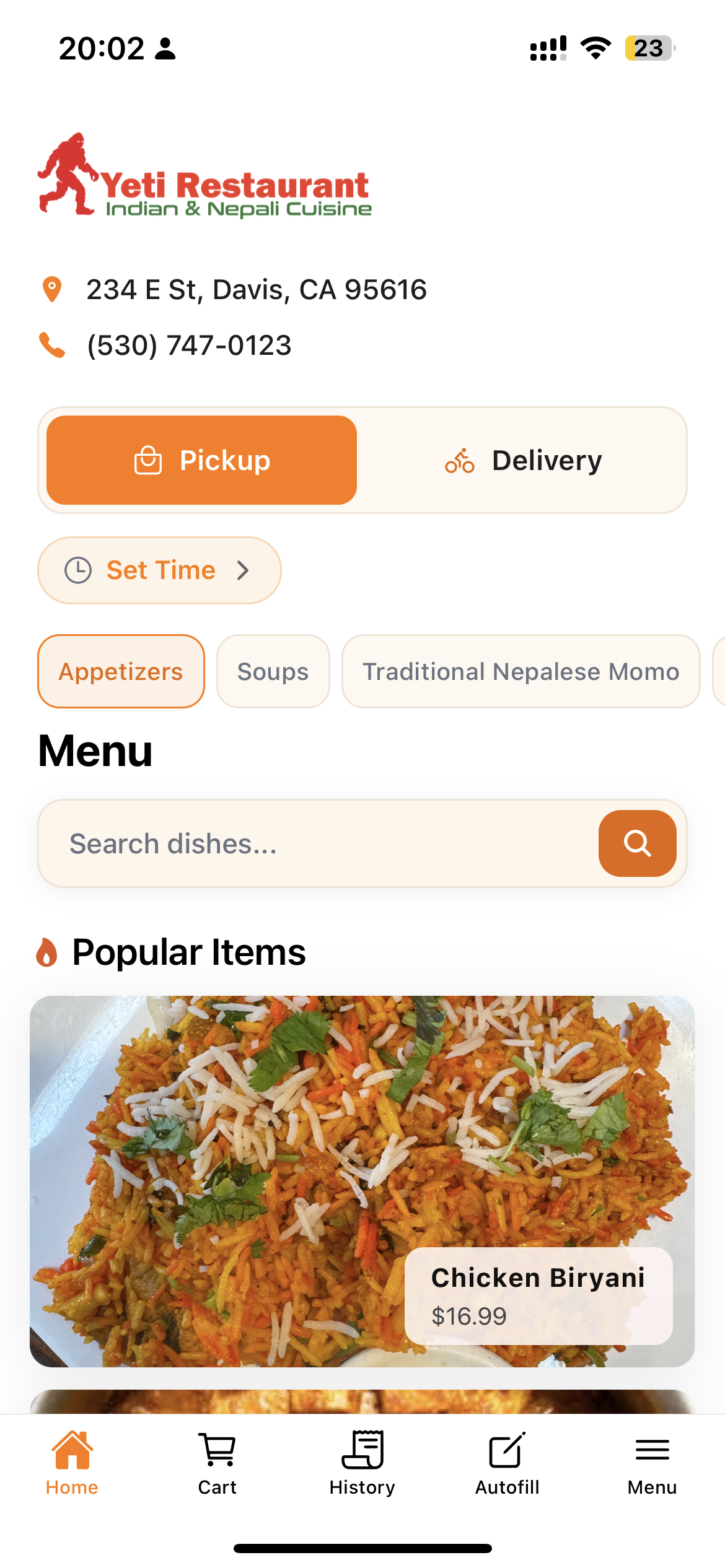
Home Screen
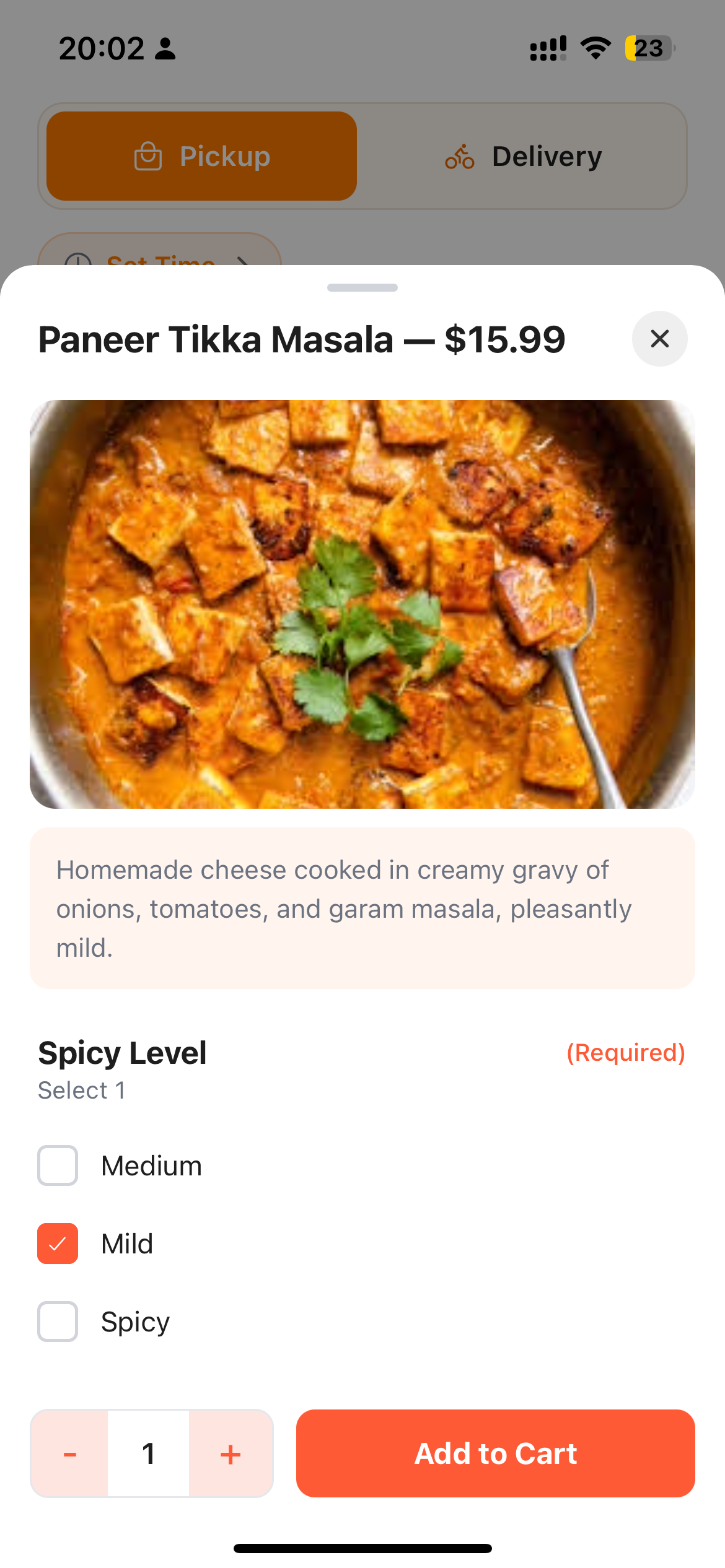
Item Customization
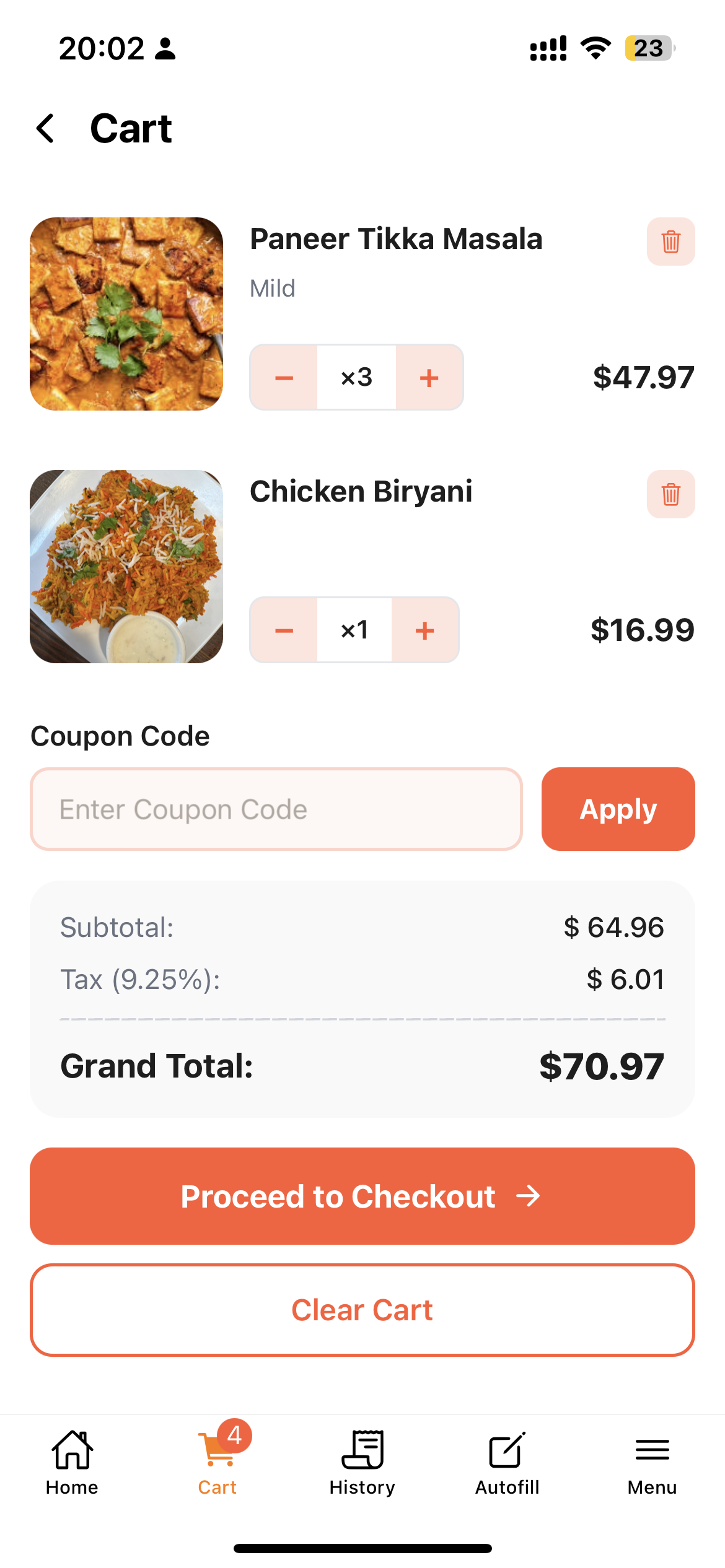
Cart Screen
Building a Native Mobile Food Ordering App for Yeti Restaurant
Yeti Restaurant is a production-grade, universal mobile ordering application built for Yeti Restaurant in Davis, California. Available live on the iOS App Store, this application delivers a seamless e-commerce experience for authentic Nepalese and Indian cuisine.
The application features an intuitive menu experience with real-time search, dynamic product modifiers, timezone-aware order scheduling, promotional discount codes, offline caching, and device-bound order history tracking without requiring mandatory user registration.
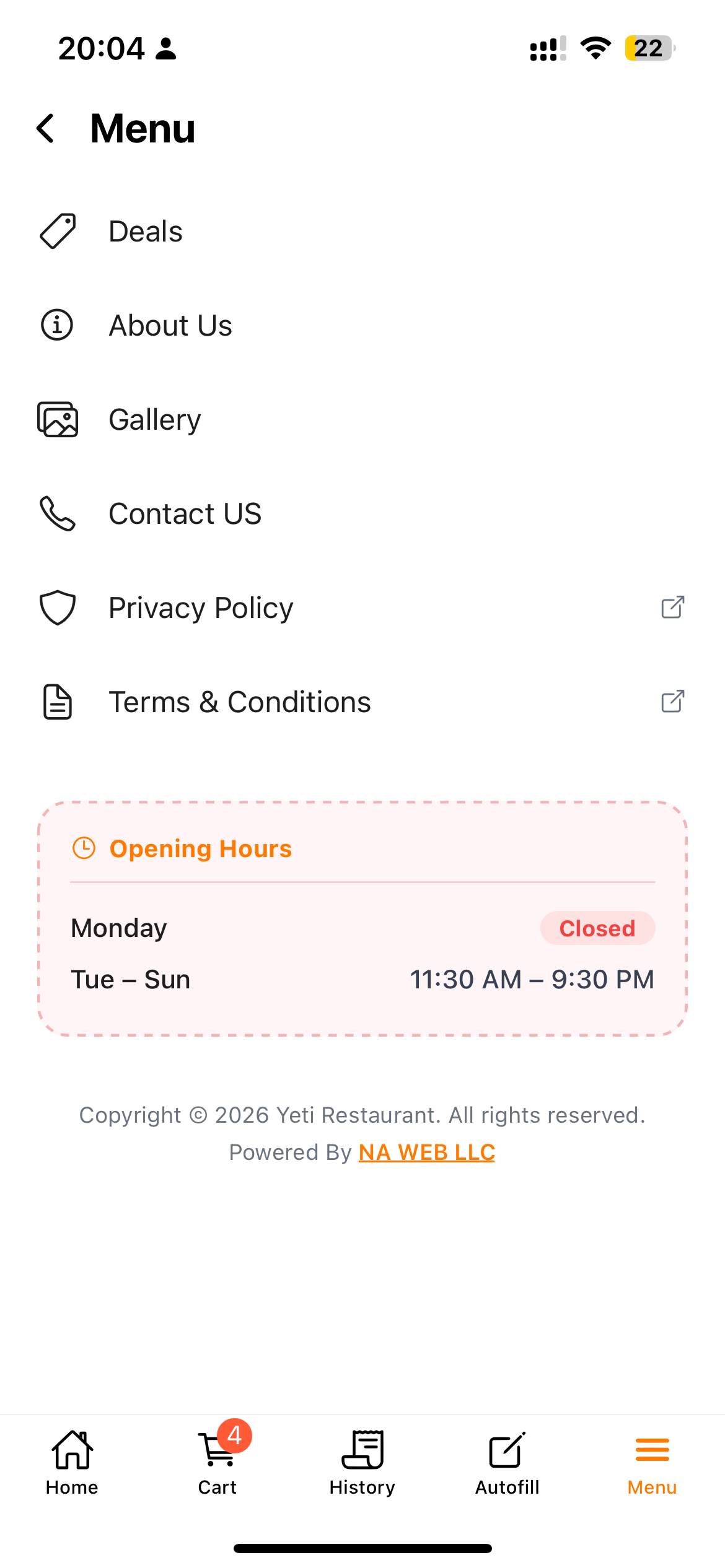 Menu & Categories
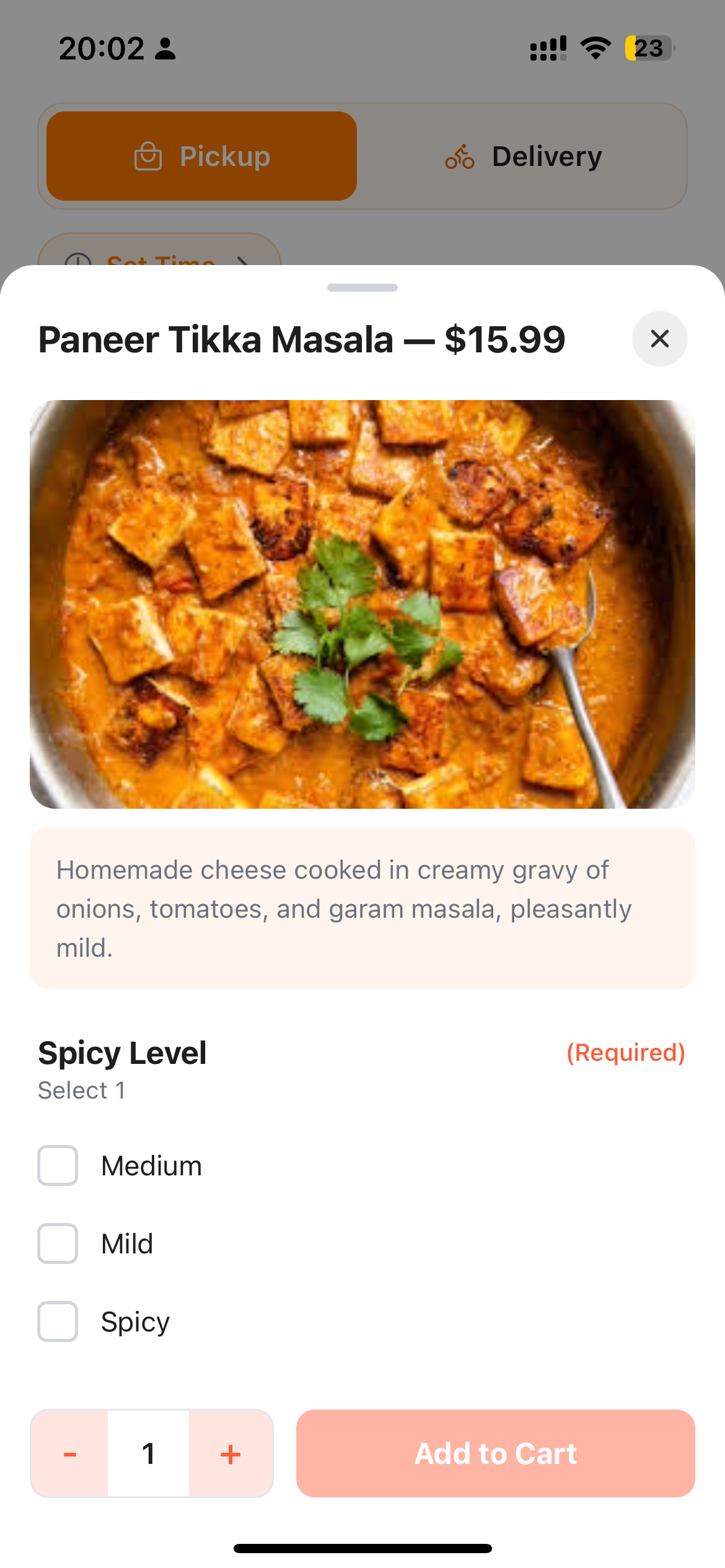 Dish Modifiers
Cart & Checkout
Dish Modifiers
Cart & Checkout
Technology Stack
| Domain | Technology |
|---|---|
| Core Framework | React Native v0.85 & Expo SDK 56 |
| Routing & Navigation | Expo Router v6 |
| Programming Language | TypeScript v5.x |
| Server State Management | TanStack React Query v5 |
| Offline Persistence | Expo FileSystem (expo-file-system) |
| Client State Management | React Context + useReducer |
| Animations | React Native Reanimated v4.3 |
| Gestures & Visual Effects | React Native Gesture Handler & Expo Glass Effect |
| Image Optimization | Expo Image (expo-image) |
| Native Device APIs | NetInfo, Expo Clipboard, Expo Device |
Key Engineering Problems & Solutions
1. Cross-Timezone Store Hours & Order Scheduling
- The Challenge: The restaurant operates exclusively in Davis, California (Pacific Time), while customers may place orders from different time zones. Without proper validation, users could schedule ASAP orders or pickup times when the restaurant is actually closed.
- The Solution: Designed a timezone-aware scheduling system that validates all orders against the restaurant’s local operating hours, automatically disables unavailable ordering options, skips closed days, and generates only valid time slots.
2. Real-Time Cart Menu Reconciliation
- The Challenge: Menu items, prices, and modifier options can change while a customer is still shopping, resulting in stale cart data, incorrect pricing, or invalid modifier selections during checkout.
- The Solution: Implemented an automatic cart reconciliation system that synchronizes cart contents with the latest menu data, updates changed prices, removes unavailable items or modifiers, and informs users of any adjustments before checkout.
3. Offline Data Persistence
- The Challenge: Mobile users frequently experience unreliable network connectivity, which can interrupt browsing and degrade the ordering experience.
- The Solution: Built an offline-first data layer that persistently caches application data on the device, enabling users to continue browsing previously loaded content while automatically refreshing data when network connectivity is restored.
4. Account-Free Order Tracking
- The Challenge: Requiring customers to create an account before placing an order increases checkout friction and can reduce conversion rates.
- The Solution: Developed a device-based order tracking system that securely associates orders with a persistent device identifier, allowing users to view order history, track order status, and access digital receipts without creating an account.
5. Accessible UI Across Device Settings
- The Challenge: Large system font sizes can disrupt fixed layouts, causing buttons, badges, and form elements to overflow or become unusable on smaller screens.
- The Solution: Optimized the application’s typography system to support accessibility while preserving a consistent and responsive interface across a wide range of font scaling settings.
Comprehensive Feature Breakdown
1. Interactive Menu Discovery
- Synchronized Category Navigation: Horizontally scrollable category tabs remain synchronized with the menu as users browse, making navigation seamless even through large menus.
- Real-Time Search: Instantly filters menu items by name and description while maintaining a smooth, responsive search experience.
- Optimized Browsing Experience: Fast image loading, smooth scrolling, and skeleton loading states provide immediate visual feedback while content loads.
2. Dynamic Product Customization
- Flexible Modifier System: Supports required and optional modifiers, including single-select and multi-select options such as spice levels, protein choices, and add-ons.
- Instant Product Sheets: Product customization opens immediately using cached data, eliminating unnecessary loading delays.
- Live Price Updates: Prices are recalculated in real time as quantities and modifier selections change, providing immediate cost transparency.
3. Smart Cart & Order Management
- Pickup & Delivery: Supports both fulfillment methods with dynamic delivery fees, minimum order validation, and automatic sales tax calculation.
- Advanced Order Scheduling: Customers can place ASAP orders or schedule pickups and deliveries using available 15-minute time slots up to 21 open days in advance.
- Coupon & Discount Support: Validates promotional codes in real time, supporting percentage-based and fixed-amount discounts with eligibility checks.
4. Streamlined Checkout Experience
- Multiple Payment Methods: Supports both online card payments and Pay at Restaurant / Cash on Delivery.
- Smart Payment Validation: Performs real-time credit/debit card validation with automatic formatting for card number, expiration date, and security code.
- Address & Contact Autofill: Securely remembers customer information to minimize repetitive data entry during future orders.
- Order Confirmation: Displays an animated success screen with an itemized receipt, order summary, and unique order reference.
5. Restaurant Experience & Customer Engagement
- Deals & Promotions: Dedicated promotions page featuring active offers, coupon codes, and one-tap copy functionality.
- Food Gallery: Responsive image gallery showcasing menu items with smooth loading states and full-screen image viewing.
- Restaurant Information: Comprehensive About & Contact section with business hours, interactive location map, tap-to-call, tap-to-email, and social media links.
6. Order History & Digital Receipts
- Persistent Order History: Customers can review previous orders without creating an account, including order status, totals, and purchase dates.
- Detailed Digital Receipts: Every order includes a complete itemized receipt with purchased items, selected modifiers, pricing breakdown, and order reference for future tracking.
Address Management & Local Autofill
Requiring users to create accounts before placing a food order causes high cart abandonment. The Yeti Restaurant mobile app bypasses login screens entirely while maintaining user convenience.
Customer profiles (Name, Phone, Email) and delivery addresses are persisted on the local device using a specialized autofillContext:
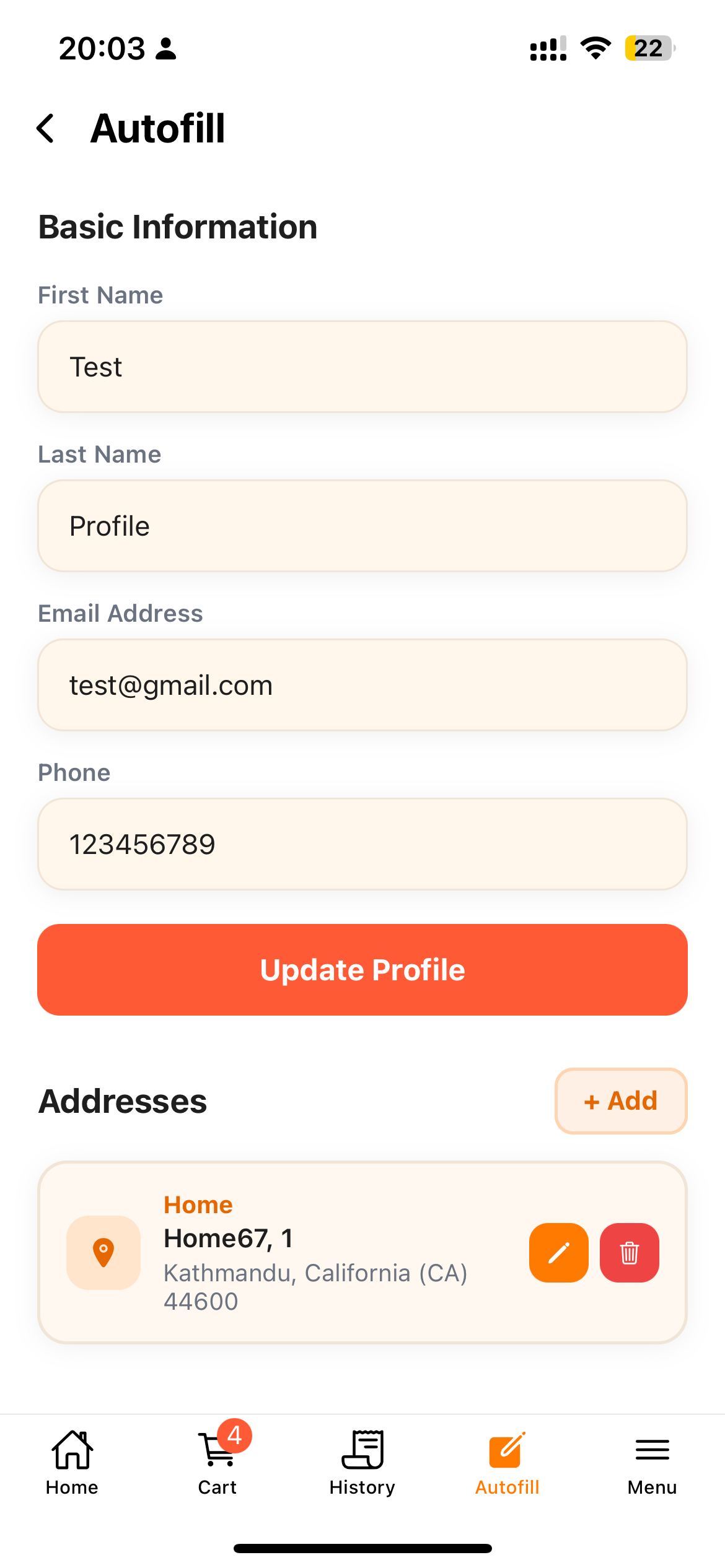 Saved Information
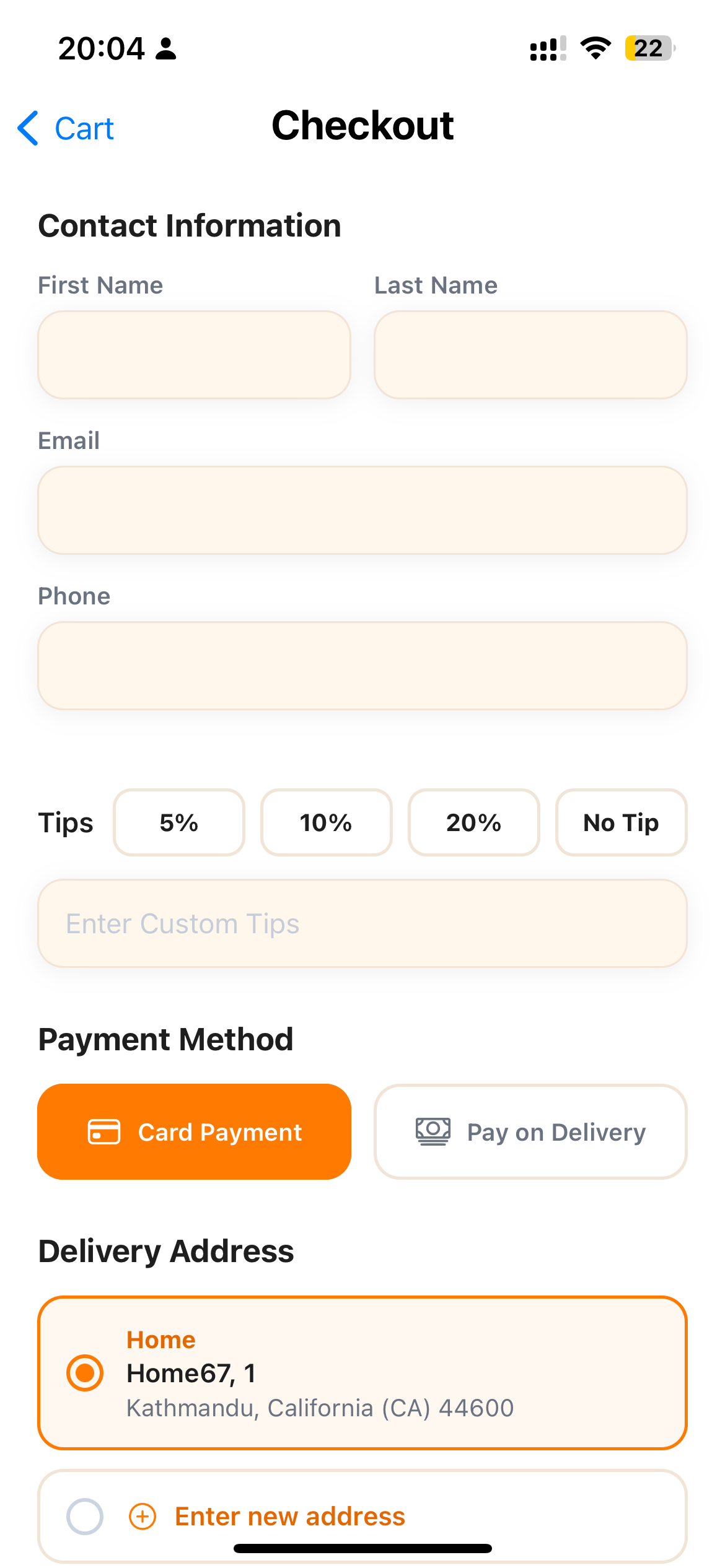 Checkout
When checking out:
- Contact information automatically populates input fields.
- Tapping a saved delivery address pre-fills street address, apartment details, and zip code.
- Addresses can be added, updated, or removed at any time through a dedicated sheet interface.
Anonymous Device-Tied Order History
Since users do not log into traditional accounts, order history must still be tracked securely so customers can view past receipts and active order statuses.
The application generates a persistent, unique Device GUID stored locally on the device file system:
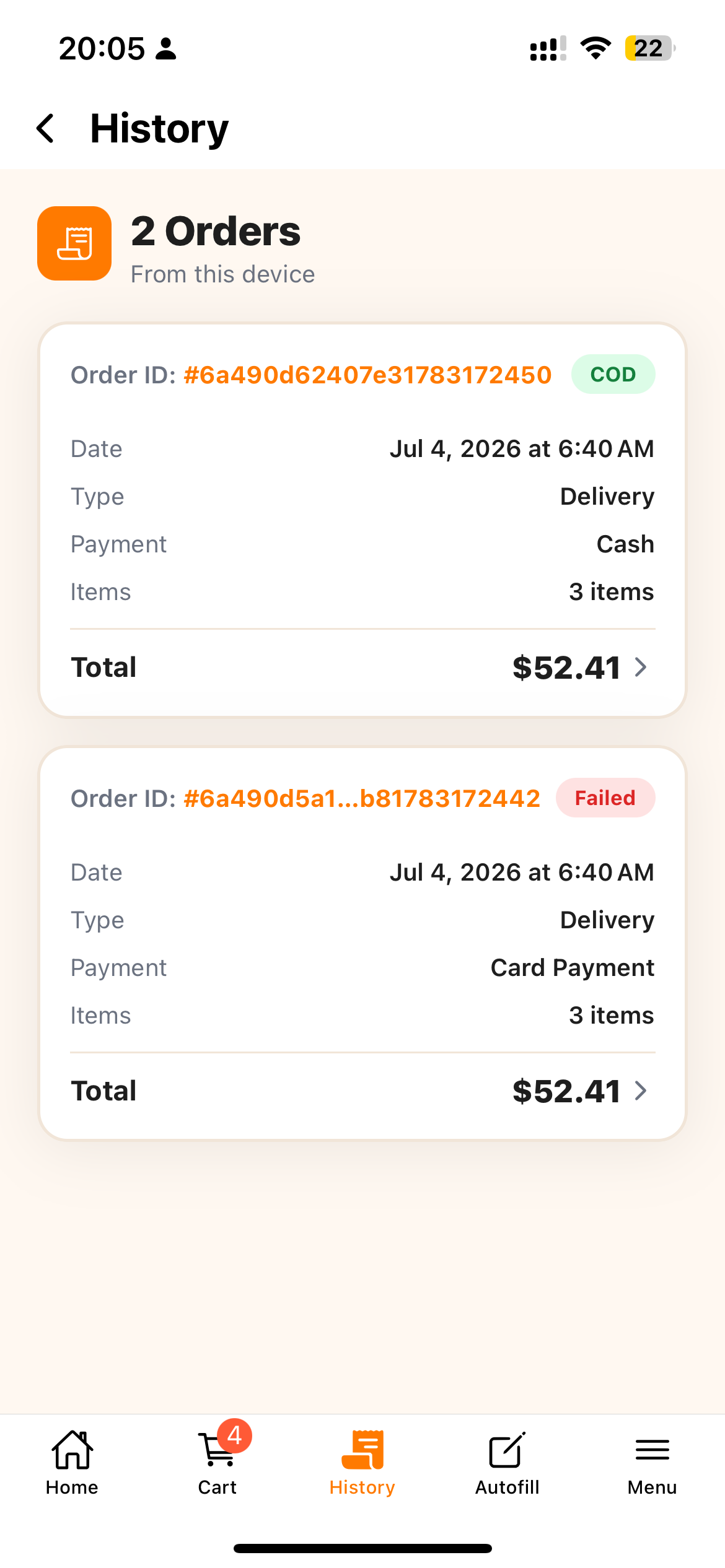 Order History
 Order Detail
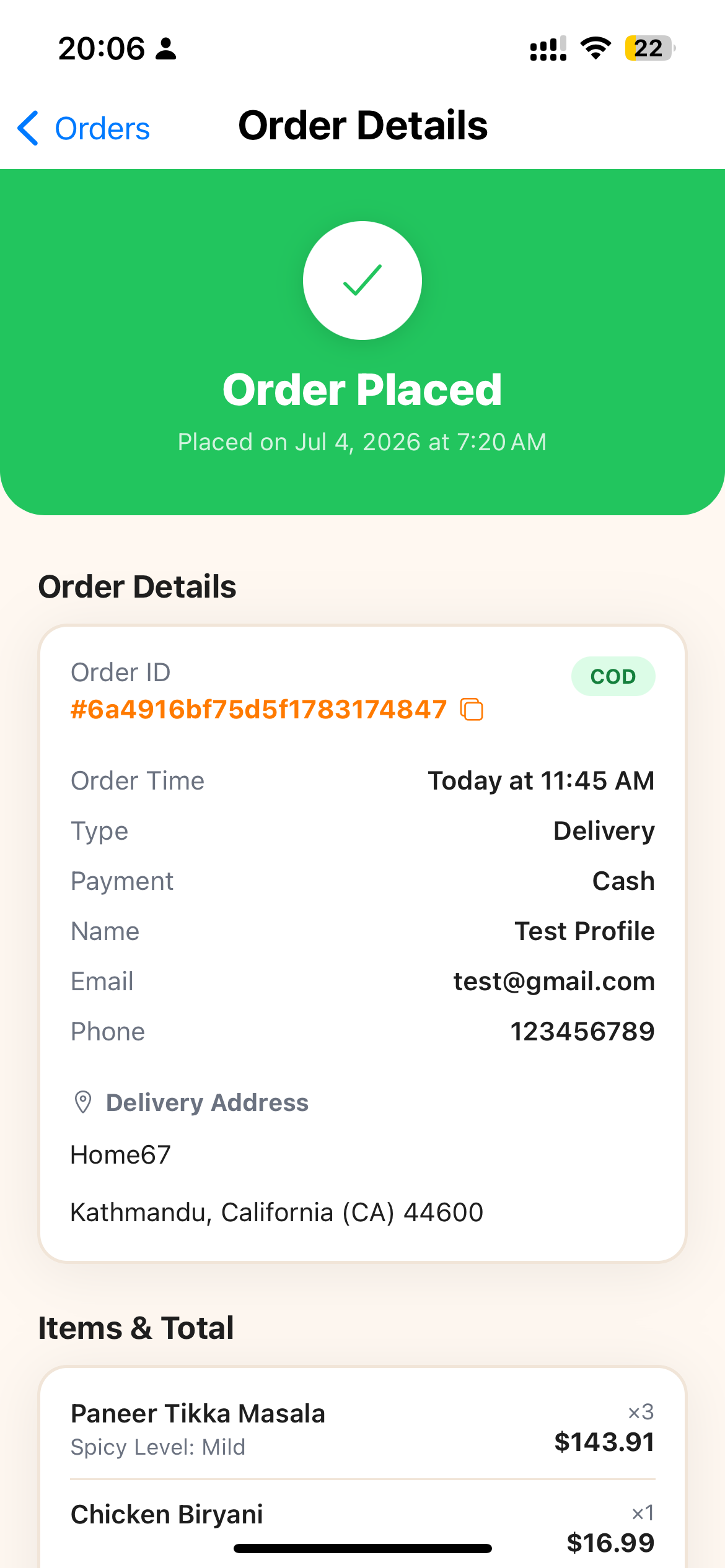
When an order is submitted, the deviceId is attached to the payload. When opening the Order History tab, the app fetches all past transactions linked to that device ID, providing a complete receipt history with status tracking without asking the user for a password.
Live App Store & Platform Availability
The mobile app was built, tested, and published using Expo Application Services (EAS Build & Submit).
- App Name: Yeti Restaurant Davis, CA
- iOS Platform: Live and published on the Apple App Store
- Android Platform: Fully compatible cross-platform build (Expo SDK 56) — Not yet published on the Google Play Store
Live Store Link:
Project Showcase Gallery
Click any screenshot to launch the interactive lightbox viewer
Home Screen
Browse Himalayan, Nepalese, and Indian dishes with category filtering, search, and live operating status.
Item Customization
Interactive bottom sheet for configuring spice levels, required selections, add-ons, and special instructions.
Cart Screen
Real-time cart validation, pickup vs delivery mode, discount calculation, and modifier summary.
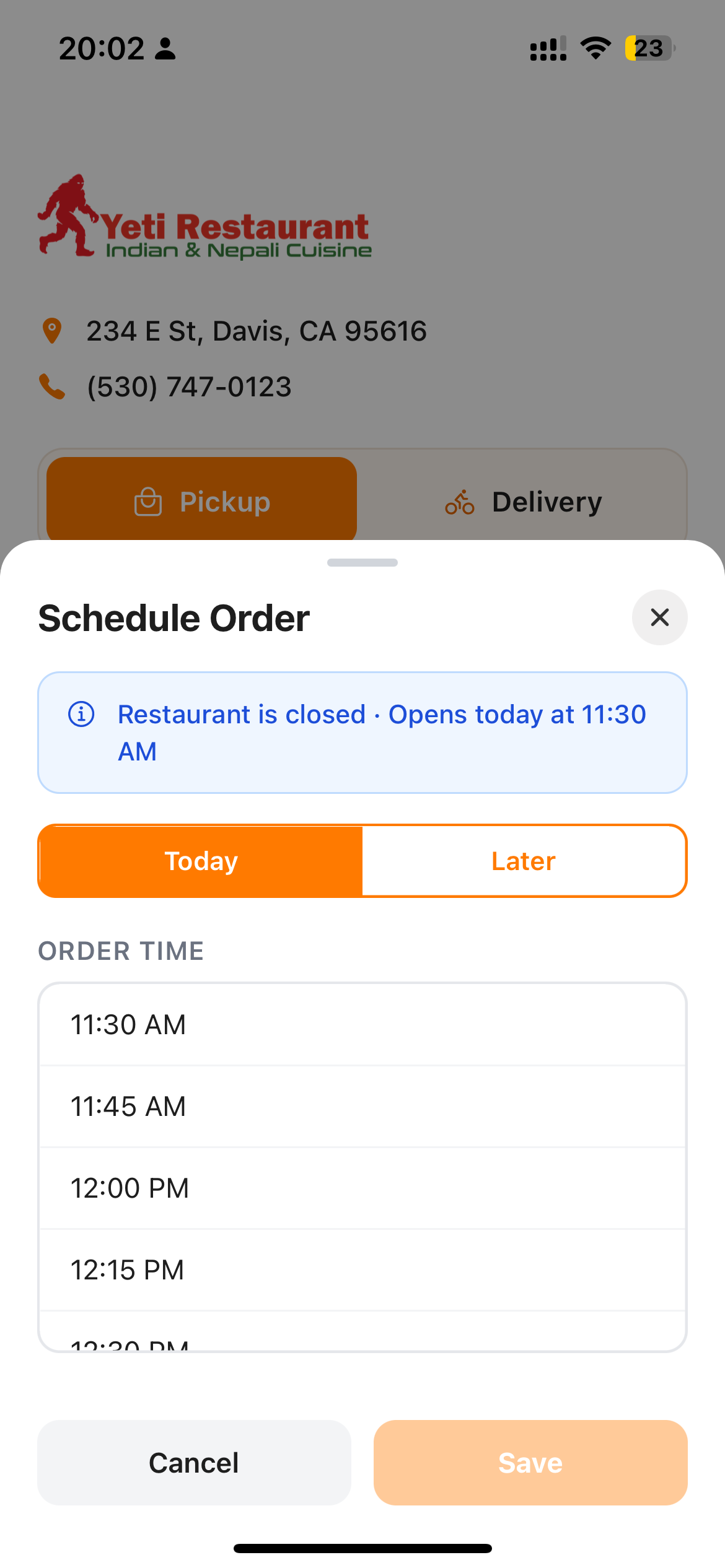
Timezone-Aware Order Scheduling
ASAP, Today, or Later time slot selection enforcing store operating hours in Pacific Time.
Seamless Guest Checkout
Zero-registration checkout with saved address autofill, custom tips, and fast order placement.
Saved Addresses & Profile Autofill
Manage saved delivery addresses and contact information locally without mandatory logins.
Anonymous Device Order History
Device-tied persistent order tracking with detailed receipt breakdown and historical status updates.
Live Order Detail & Receipt
View order status, store contact info, receipt breakdown, and fulfillment schedule.

Exclusive Deals & Special Offers
Browse current discounts, promotional vouchers, and special restaurant meal deals.